XrayDetector
# XrayDetector
**A Minecraft X-ray Detection Plugin**
XrayDetector is a comprehensive detection system for identifying potential X-ray usage on Minecraft servers. This plugin monitors ore mining patterns and alerts staff members when suspicious activity is detected.
**Author:** nevmind
**Version:** 1.0.0
**All Rights Reserved**
—
## Features
### Core Detection System
– **Pattern-Based Detection**: Monitors ore mining frequency and speed to identify suspicious patterns
– **Four-Tier Severity System**: Classifies alerts as Low, Medium, High, or Very High based on mining behavior
– **Points Tracking**: Maintains cumulative X-ray suspicion scores for each player
– **Real-Time Alerts**: Notifies staff members instantly when detection thresholds are met
### Comprehensive Commands
– `/xray toggle` – Enable or disable the detection system
– `/xray set ores ` – Configure ore threshold for alerts
– `/xray set time ` – Set the time window for detection
– `/xray tp ` – Teleport to suspected player in spectator mode (invisible)
– `/xray chances list` – View top 10 players with highest X-ray suspicion points
– `/xray reload` – Reload configuration without restarting
### Advanced Configuration
– **Customizable Thresholds**: Adjust ore counts and time windows
– **Severity Levels**: Configure point values for each severity tier
– **Alert Colors**: Customize message colors using Minecraft color codes
– **Toggle System**: Enable/disable detection without removing the plugin
### Permission System
– `xray.admin` – Access to all plugin commands (default: op)
– `xray.alerts` – Receive X-ray detection alerts (default: op)
—
## Installation
1. Download `XrayDetector-1.0.0.jar` from the releases
2. Place the JAR file in your server’s `plugins` folder
3. Restart your server or use a plugin manager to load it
4. Configure the plugin in `plugins/XrayDetector/config.yml`
—
## Compatibility
### Supported Platforms
– **Paper** (Recommended)
– **Spigot**
– **Bukkit**
– **PurPur**
– **Pufferfish**
### Minecraft Versions
– **1.21.x** (Latest)
– **1.20.x**
– **1.19.x**
– **1.18.x**
– **1.17.x**
– **1.16.x**
– **1.15.x**
– **1.14.x**
– **1.13+** (Minimum)
The plugin uses the Bukkit API 1.13+ for maximum compatibility across versions.
—
## Configuration
The plugin creates a `config.yml` file in `plugins/XrayDetector/` with the following options:
### Basic Settings
“`yaml
# Enable or disable detection system
enabled: true
# Number of ores to trigger alert
ores_threshold: 10
# Time window in seconds
time_window: 60
“`
### Severity Levels
Each severity level can be configured with minimum/maximum ore counts and point values:
– **Low**: 5-10 ores (5 points)
– **Medium**: 11-20 ores (15 points)
– **High**: 21-35 ores (30 points)
– **Very High**: 36+ ores (50 points)
### Alert Colors
Customize alert message colors using Minecraft color codes:
– `&b` = Aqua (Light Blue)
– `&f` = White
– `&e` = Yellow
– `&6` = Gold
– `&c` = Red
– `&4` = Dark Red
—
## How It Works
### Detection Logic
1. **Monitoring**: The plugin tracks when players mine ore blocks
2. **Pattern Analysis**: Calculates mining speed (ores per second) within the time window
3. **Severity Assessment**: Determines alert level based on ore count and mining speed
4. **Point Assignment**: Adds points to the player’s X-ray suspicion score
5. **Staff Notification**: Sends formatted alerts to all staff with `xray.alerts` permission
### Tracked Ores
The plugin monitors all ore types including:
– Coal, Iron, Gold, Diamond, Emerald
– Lapis Lazuli, Redstone, Copper
– Nether Gold, Nether Quartz
– Ancient Debris
– Deepslate variants of all ores
### Alert Format
“`
[XrayDetector] PlayerName mined 15 ores in 30.0 seconds [MEDIUM] (+15 points, Total: 45)
“`
—
## Commands & Permissions
| Command | Permission | Description |
|———|———–|————-|
| `/xray toggle` | `xray.admin` | Toggle detection on/off |
| `/xray set ores ` | `xray.admin` | Set ore threshold |
| `/xray set time ` | `xray.admin` | Set time window |
| `/xray tp ` | `xray.admin` | Teleport to player (spectator) |
| `/xray chances list` | `xray.admin` | Show top suspects |
| `/xray reload` | `xray.admin` | Reload configuration |
**Aliases:** `/xr`, `/xraydetector`
—
## FAQ
**Q: Does this plugin prevent X-ray?**
A: No, this plugin only detects potential X-ray usage. It cannot prevent players from using X-ray texture packs or mods.
**Q: Will this catch all X-ray users?**
A: The plugin detects suspicious mining patterns that may indicate X-ray usage. However, it’s not 100% accurate and should be used as one tool among many for server moderation.
**Q: Can players see the alerts?**
A: Only players with the `xray.alerts` permission (typically staff) receive alerts.
**Q: What happens when a player is detected?**
A: The plugin only sends alerts and tracks points. Staff must manually review and take appropriate action.
**Q: Does this work on older versions?**
A: The plugin requires Minecraft 1.13 or newer due to API compatibility.
—
## Support & Updates
For bug reports, feature requests, or support:
– Open an issue on the project repository
– Contact the server administrator
—
## License
**XrayDetector** by **nevmind**
**All Rights Reserved**
This software is proprietary and confidential. Unauthorized copying, distribution, or modification is strictly prohibited without explicit permission from the author.
—
## Credits
**Developer:** nevmind
**Plugin Version:** 1.0.0
**Last Updated:** 2025
Thank you for using XrayDetector!
Xray Boat

🚤 X-Ray Boat lets you see straight through the boat and into the ocean below.
The main idea of this texture is simple and useful: with a transparent/open boat, you can clearly see the seafloor, corals, ruins, and underwater terrain while sailing. 🌊👀
It keeps a clean, vanilla-friendly look, but adds a practical and immersive detail that makes ocean exploration way more enjoyable. Perfect for discovering what’s beneath the water without leaving your boat. 🌿✨
Lightweight, simple, and visually pleasing — a small tweak that changes how you explore the seas. 🚣♂️
XPlus Font Pack
## XPlus Font Pack —— Make ingame font smooth and beautiful.
XPlus Font Pack is a Minecraft Font Pack developed by XPlus Team, which is used in XPlus Modpack. XPlus Font Pack transforms in-game fonts to the sleek and elegant Source Han Sans typeface. Say goodbye to bland default fonts and immerse yourself in a world of clarity and style.
With XPlus Font Pack, players can enjoy a seamless gaming experience across multiple languages, as it supports a wide range of language characters. Whether you’re communicating with friends in English, Korean, Russian,Chinese, or any other language, XPlus Font Pack ensures readability and consistency without the need for additional mod downloads.
### Version 1.1.0+ changes the font to HarmonyOS Sans, and requires mod Caxton to be loaded.

## License Info
Source Han Sans is licensed under SIL Open Font License, Version 1.1
Dovahkiin is made by Pixel Sagas, which is licensed as Freeware.
XPHearts
# **About**
 

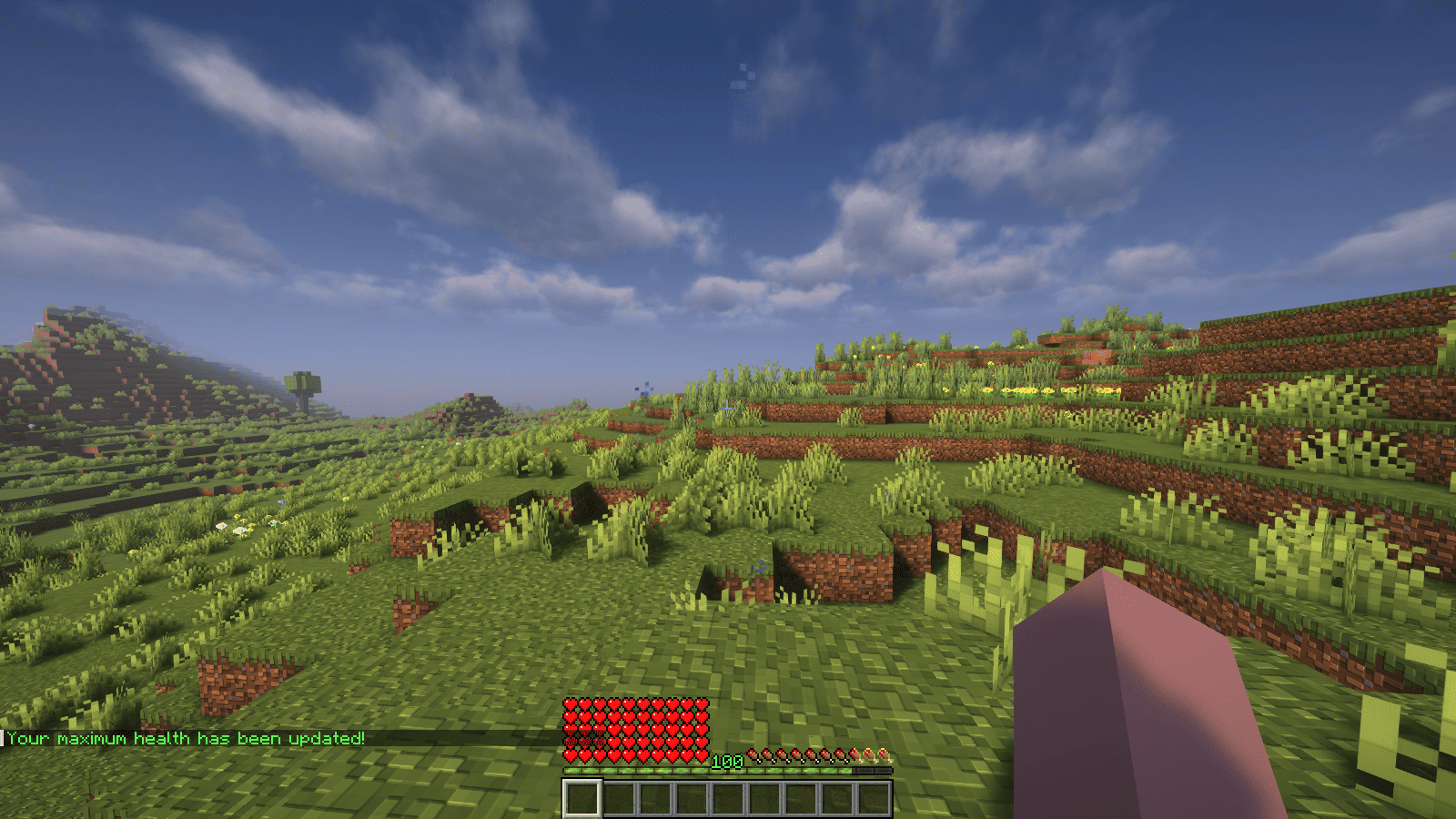
XPHearts is a plugin that automatically adjust maximum hearts/health depending on your experience level. You can configure the amount of experience level needed in the configuration file.
### Features
– Automatically adjust the player’s maximum hearts/health when they reach the experience level specified in the configuration.
– Easy to understand config.
– Lightweight.
### Commands
| Command | Description | Permission |
|—————-|————————————-|—————–|
| `/xh` | Get the information about the plugin. | `xh.use` |
| `/xh reload` | Reloads the config file. | `xh.admin` |
| Command aliases| **xh, xpheart, xphearts** |
### Issues and Suggestions
Suggest and report issues on Github.
XPDispenser
# XPDispenser
A Minecraft Bukkit plugin to throw your XP at yourself (e.g. to repair your mending tools).


## What is it?
XPDispenser allows you to throw XP orbs at yourself by using your currently collected XP points.
The collected XP points can be used to repair tools and armor enchanted with the mending enchantment. In that way, you are able to reuse your already collected XP points to repair your tools and armor.
## Permissions
Currently, there is only one permission available which controls whether a player is allowed to use this plugin: `xpdispenser` (Default: everyone)
## How to use it?
Simply place a sign at any location with the text `[XPDispenser]` at the first line.
Optionally, the second line contains the amount of XP points to be thrown in a single time (defaults to 10, if not given on the sign).
So, if you want to get 50 XP points, you can place a sign with the following content:
* First line: `[XPDispenser]`
* Second line: `50`
After correctly placing the sign, the color of the first line will change to blue.
To use the sign, simply interact with it (i.e. right click on it) while having the tool and/or armor to repair equipped.
### Why use a sign instead of a command?
It’s simple: I just don’t like to execute commands as a normal player, but I like to interact with the environment just like you would do in real life.
In case of this plugin, you could see the sign as some type of machine which will dispense some XP orbs.
## Build
You can build the project in the following 2 steps:
* Check out the repository
* Build the jar file using maven: *mvn clean package*
**Note:** JDK 1.8 and Maven is required to build the project!
## My other plugins
You can find them on my website.
XP Tome
### Functionality
This mod adds a single item – the XP Tome. With the XP Tome you can store and retrieve XP. It can store up to 1395 XP by default (can be configured), which equals to having 30 levels on the XP bar.
### Usage
– Sneak + right-click to store XP
– Right-click to retrieve XP
### Recipe

### Config/Item Components
Note: For item components, “true” means the component is on the item, and “false” means it isn’t.
Note: If you want to change the default item components of the XP Tome you can still use the config file, however that comes with caveats explained therein. Consider creating a Data Pack and override the XP Tome’s recipe with the components set as you wish. Here’s an example recipe. More info about data packs and recipes on the wiki!
– *max_xp* – The maximum amount of XP points that the XP Tome can hold. The default value (1395) represents having 30 levels on the XP bar.
– *retrieval_percentage* – The percentage of XP that the book will give back, as a sort of cost of using it. Example: If this config value is set to 0.75, and an XP Tome has 100 XP stored, attempting to retrieve these 100 XP will give back 75 XP. Note: This will not be 100% accurate, as Minecraft’s XP does not use decimals.
– *retrieve_until_next_level* – Setting this to true will remove only as much XP from the book at a time as is needed for the player to reach their next level.
– *retrieve_xp_orbs* – Setting this to true will remove XP from the book in XP orb form. This is useful if you want to use XP from the book for tools enchanted with Mending.
– *store_until_previous_level* – Setting this to true will store only as much XP from the player’s XP bar until reaching the previous level, meaning only one level at maximum will be added to the book’s storage at a time.
The configuration file for Minecraft versions 1.14.4-1.20.1 can be found in the serverconfig folder of your world.
### Further Info
This mod was created by me, following a request by Shivaxi. It is based off of XP Book and was recreated due to a duplication bug in the original mod, as well as a bug which causes the enchanting table to reset each time the book is used. As this mod uses the same modid and item id as the original, the two mods can not be installed at the same time and switching between them will not lose you any items. I did not take any code or assets from the original mod.
You are allowed to use this mod in any modpack.
XP Stacker
🎉 **XPStacker: Let Your Server Breathe!** 🎉
Is your server slowing down because of all the scattered XP orbs? 🐢 XPStacker offers a sleek and effective solution to this problem. This lightweight plugin automatically merges nearby XP orbs into a single one, significantly reducing server load while providing a smoother experience for players.
✨ **Key Features:**
– **Lag Reduction:** 💨 Drastically reduces server lag by merging hundreds of scattered XP orbs into a single orb.
– **Automatic Merging:** 🤝 New XP orbs automatically merge with nearby ones. No player action is required.
– **Configurable Radius:** ⚙️ Easily adjust the merge radius of XP orbs in the config.yml file.
– **Lightweight and Stable:** 🔋 Operates with minimal resource usage and does not affect your server’s other features.
Add XPStacker to your server now and let your players collect XP without any lag! 💎
✨ **Check Out Our Other Plugins!** ✨
If you enjoy the **XPStacker** plugin, don’t forget to check out our other high-quality plugins for your server!
– **BuildByBit**: https://builtbybit.com/creators/fisfiskoray.600970
– **PolyMart:** https://polymart.org/user/57522/fisfiskoray
– **Modrinth:** https://modrinth.com/user/FisFisKoray
XP-like HUD
# **About  XP-like HUD**
**XP-like HUD** (or wixewsky’s XP-like HUD) will change in-game HUD (health, food, armor, etc) to use colored experience-like bars, being very vanilla-friendly.

Originally I made this HUD for Better than Adventure! and published it on Planet Minecraft, but came up porting this to vanilla Minecraft with some improvements and publishing here, on Modrinth.
You can download XP-like HUD for BTA! here!
## Mod Support
This Resource Pack supports 182 mods in total! ≈143 with custom assets and ≈39 tested out*. Currently supported mods:
Expand to see
– AppleSkin by squeek502.
– Amarite by AmyMialee.
– Armor Toughness Bar by pbone64.
– Armor Toughness Bar, Again by paypur.
– Armor Chroma for Fabric by A5b84.
– Armor Chroma by jobicade.
– Farmer’s Delight by vectorwing.
– Brewin’ And Chewin’ by Torty.
– More Heart Types by Oth3r.
– Heartache by spzla.
– Detail Armor Bar by RedLime.
– Detail Armor Bar Reconstructed by Coredex.
– Pick Your Poison by Ladysnake.
– Raised by yurisuika.*
– Colorful Hearts by Terrails.
– Nostalgic Tweaks by rjxkenshin.
– Heart Effects by Doublea06_.
– Victus by glisco.
– Stamina by Insane96.
– PartialHearts by DialingSpoon527.*
– ArmorSkin by IzzyDotExe.
– Extra Armor Info by mrmelon54.
– Insane’s Survival Overhaul (aka IguanaTweaks Reborn) by Insane96.
– Thirst Was Taken by ghen-git and mlus.
– Thirst Bar by 3geE.
– It’s Thirst by capybaro.
– Tough As Nails by Adubbz and Forstride.
– Survive by Stereowalker.
– Simple Hydration by Boid.
– uku’s Armor HUD by uku.*
– Auto HUD by Crendgrim.*
– Homeostatic by wendall911.
– Energy Bar Indicator by Diesse.
– Dehydration by Globox1997.
– Bewitchment by MoriyaShiine and cybercat5555.
– Upgrade Aquatic by Team Abnormals.
– The Aether by The Aether Team.
– Njol’s HUD by Njol.
– Fancy Health Bar by efekos.*
– Armor Hud by SaolGhra.
– SpiffyHUD by Keksuccino.*
– Melancholic Hunger & HUD by antigers.
– Mediumcore by AlexModGuy.
– NutritionZ by xR4YM0ND and Globox1997.
– Health Indicators by AdyTech99.
– Dietary Statistics by Rikka-Kitani.
– Quark by Vazkii.
– Water Source 2 by Koiro.
– Mantle by KnightMiner.
– BedrockIfy by juancarloscp52.*
– Bedrock Hotbar by BizCub.*
– Malum by SammySemicolon.
– Energizer by Gauraaaaaaaa.
– Arthritis by ProstStuff and Bloxedzero.
– Hydration by Exzotic.
– Hydration by BlackVault.
– Armor Points ++ by Cheos and SopsyHallow.
– ParCool! by alRex_U.
– Scaling Health by SilentChaos512.
– Legacy4J by Kyubion Studios.
– Feathers by Elenai.
– Verticality by KrLite.*
– HUDTweaks by burgerindividual.*
– Crim’s Party GUI by Crim and Favouriteless.*
– Hunger Remover by SmushyTaco.*
– Overflowing Bars by Fuzs.
– Mindful Eating by camcam_burger.
– Botania by Vazkii.
– Cracker’s Wither Storm Mod by nonamecrackers2.
– Frostbyte’s Improved Inventory by FrostbyteGames.
– Totem Bar by Yomna.
– I ❤ TFC (I Heart TFC) by alekiponi.
– Leave My Bars Alone by Fuzs.*
– Colorful ui by pustoykishka.*
– Overloaded Armor Bar by Tfarcenim.*
– Crumbling Hearts by KreaDex.*
– Scorchful by TheDeathlyCow.
– Frostiful by TheDeathlyCow.
– Mana Attributes by TheRedBrain.
– Life Fruits by super_okina.
– ArmorHUD by kyh148.
– Vampirism by maxanier and cheaterpaul.
– Would you Rather by EightSidedSquare.
– Chococraft by clienthax and Mrbysco.
– Hudless by ZipeStudio.*
– Withered Hearts by Ramixin.*
– Extended Hotbar by DenWav and unilock.*
– Double Hotbar by sidezbros.*
– RemoveHUD by IzzyDotExe.*
– Better GUI Scaling by yeahimrose.*
– Granular Hunger by Tetro48.
– Blue Skies by Modding Legacy.
– Extra RPG Attributes by cleannrooster.
– RunicLib by Yirmiri and BackupCup.
– Cold Sweat by Mikul.
– Dungeon’s Delight by Yirmiri and Betwixer.
– Additional Saturation by wet_noodles90.
– Advanced UI Scaling by qendolin.*
– Head-down Display Continuation by The_Computerizer.*
– Vehicle Hunger Bar by CrownSheep.*
– Hexed by BackupCup.
– Better Bubbles by IllagerCaptain.
– Vampire’s Delight by GridExpert.
– Meulti’s Backrooms by Meulti and hacone.
– Extended Armor Bars by RebelKeithy.
– Elytra Bar HUD by Fotatata.
– Advanced Armor Bar by Sygikal.
– Saturative by emilahmaboy.*
– More Offhand Slots by TkkynaA.*
– Giacomo’s HUD Overlays Configurator by zacomat.*
– Cyra by Le_Keko.
– Ametrine by nickfluffingfox and Buff_sheep.
– LemonSkin by myxazaur.
– Haema by will_bl.
– Spells & Shields by CAS_ual_TY.
– Oreganized by TeamGalena.
– Fantazia by ArkadiyHimself.
– Secrets of the Void by the_destiny.
– Horseman by mortuusars.*
– Offhand Hotbar by ThePotatoArchivist.*
– Bountiful Fares by Hecco.
– FireHud by LordEnder_Kitty.
– WinWeapons by Lumineade and TheTrueYak.
– Etherology by Faradey and Feytox.
– Fright’s Delight by ChefMooon.
– Metabolism by lilypuree.
– Just Another Witchery Remake by mrsterner and anatevka.
– Toxony by MrFrostyDev.
– SmartHUDReheated by deflatedpickle.*
– CustomHealthHUD by POHH.*
– Ecological Replenishment Station by niannianan and mlus.
– Eternal Starlight by LeoMinecraftModding.
– Eidolon:Repraised by Alexthw46.
– Stellarity by kohara.
– Trailier Tales by FrozenBlock.
– Sweet Calamity by Valent and Valend.
– Better Flight by ArkVeil and rejahtavi.
– Illager Revolution by SangreBK and AstianBK.
– Unusual End by Sweetygamer2 and SashaKYotoz.
– BITE by KevReTV.
– Stamina Attributes by TheRedBrain.
– ExtendedHotbarRebared by deflatedpickle.*
– Eleron by Sindercube.
– Aileron by Lodestar.
– Overhauled Damage by TheRedBrain.
– Combat Roll by ZsoltMolnarrr.
– ArmorWeight by ptayur.
– Goety – The Dark Arts by Polarice3.
– Chai’s Better HUD by Chai.*
– Axiom by Moulberry.*
– Rats by AlexModGuy and GizmoTheMoonPig.
– The Undergarden by quek and GizmoTheMoonPig.
– Galosphere by Orcinus, Ninni and lunarbunten.
– Aylyth by cybercat5555.
– Burnt by pxlbnk.
– JCRAFT: Eyes of Ender by Arna and more.
– L_Ender’s Cataclysm by mcl_ender.
– Unusual Prehistory by peeko322131 and crydigo.
– WitherUtils by klangzwang.
– Sanity: Descent Into Madness by croissantnova.
– StaminaZ by Globox1997.*
– Sprint O’ Meter by PaperScorpio.*
– Goblins & Dungeons by superlord9362 and Weastiann.
– Exotelcraft by TKD_Kedis.
– Euphorics by TalonMinecraft and EightSidedSquare.
– Enigmatic Legacy by Aizistral.
– Legendary Survival Overhaul by krampus_there, armkath and Alex_Hashtag.
– Hardcore Survival by AFrozenRain.
– Nycto by MoriyaShiine and cybercat5555.
– TerraFirmaCraft by eerussianguy, Therighthon, dries007 and alcatrazEscapee.
– Enlightend by lixir and hhumanoid.
– Jaden’s Nether Expansion by ThatJadenXgamer.
– GD656MotionHUD by Minecraft_GD656.*
– Inventorio by RubixDev and LizardOfOz.
– Supplementaries by MehVahdJukaar and Plantkillable.
– Mutant More by AlexandersFunAndGames.
– Confluence: Otherworld by Magic_Team.Jvav.
– Embers Rekindled by RCXcrafter.
– Obscure API by Obscuria.
– Frozify by XZX.
– Defile by RAT and more.
– Slotted Armor HUD by poqbox.*
| * — _mods that already work but were tested for some issues_.
**This count will grow with updates.** If you want to see your favorite mod in this list, DM me on Discord or Telegram (read Contact). Some mods not included in this list can work without issues, but it is not guaranteed. Forks of included mods must work fine, if textures and texture structuring was not affected by the fork. I recommend use mod versions that were released before XP-like HUD’s update since some mods may add more content in the HUD or change it with updates.
Due to the rounded corners, some mods, like hunger removal or HUD flipping mods, may cause some visual problems. You can download sharp or circular corner variant to fix these compatibility issues. Just download additional (supplementary) file by selecting it on download page, since it is not the main version of this Resource Pack. Also you can find an addon for flipped armor bar inside .zip file.
## Variants and Addons
This Resource Pack comes in three variants:
– **Rounded**: The main variant, rounds only the left or right side of bars, depending on its position.
– **Sharp**: No corners of the bars are rounded.
– **Circular**: Every corner of the bars is rounded.
This Resource Pack includes four optional addons inside .zip file:
– **Pre-hunger Addon**. Flips armor and oxygen bars for better experience with hunger removal mods.
– **Numbered Hotbar Addon**. Adds numbers on hotbar for better accessibility.
– **Alpha and Beta Addon**. Extends XP-like HUD’s support to every single Minecraft version.
– **Armor Chroma Addon**. Adds full compatibility for Armor Chroma and Armor Chroma for Fabric.
Due to some limitations with assets count, some XP-like HUD versions on Minecraft 1.20.3 and below can crash your game because it has too much folders inside assets. Delete useless mods, update your game, use version with less content, or use older Resource Pack versions, there is nothing I can do (except stop adding more and more mod support) (Minecraft 1.20.X and below worked fine on my end while I was testing mods ever since I added “CRASH FIX” and “Vanilla” versions inside main .zip btw).
You can leave a comment on Planet Minecraft!
## Contact
If you want contact me, ask a question, help with development, suggest a mod to support, or report a bug, DM me on Discord **@wixewsky** or Telegram **@wixewsky**.
License and Legal
You are **NOT allowed** to:
– Publish this Resource Pack or its modifications on third-party websites and platforms without permission AND original Modrinth link.
– Steal or modify this Resource Pack unless it is for personal use or help with develepment.
– Port and publish this Resource Pack to the Bedrock Edition or BE’s Marketplace.
– Sell this Resource Pack.
– Share this Resource Pack as a file on your media, like Telegram channels.
You are allowed to do anything not included in this list, like including this Resource Pack to your modpacks or use it in your videos or livestreams.
If you are not sure what you are allowed or disallowed to do, feel free to DM me on Discord or Telegram.
This Resource Pack officially published **ONLY** on Modrinth and Planet Minecraft, if you downloaded it from somewhere else, you have been scammed and you shouldn’t use these websites ever again. **They deprive authors of revenue, overtake traffic and adding virues in their reuploads**.
This list can be changed at any moment. LICENSE.txt can be different from this section.
A stable and bug-free experience is not guaranteed, especially with old Minecraft versions or a modded client. **In my experience**, vanilla and modded Minecraft 1.20.1, 1.21.1 and 1.21.8 worked perfectly fine. Modded Minecraft 1.21.8 with a few supported mods worked fine as well.
XP From Harvest
## Minecraft be like
– Killing? XP!
– Breeding? XP!
– Fishing? XP!
– Smelting? XP!
– Cooking? XP!
– Trading? XP!
– Mining? TONS OF XP!!!
– ~~Crop harvesting? No XP :(~~
There’s a solution!
**MAGIC OF PROGRAMMING**
There you go! Now you can literally harvest XP.
You’re welcome 😀
## Usage
This mod is only required on server, however you can still use it in single.
## Bonus feature (off by default)
Right clicking mature crop will harvest and replant it immediately (just like with SimpleHarvest mod), and of course will give you XP.
## Configuration
In single this mod is configurable via mods config menu. On server it’s configured with config file `/config/xpfromharvest-common.toml`.
**Configuration options include:**
– Chance: % chance of XP orb spawning.
– Amount: amount of XP given.
– Simple Harvest: – enable SimpleHarvest like functionality (can be toggled dynamically in single).
– Crops List: list of crops that can be processed by the mod with their ages
– Curiosity: curiosity mode, for debugging purposes, sneak right click on a crop to get a chat message with info about it. This info can be put directly into config. Here is an example of info I got from XL Food Mod plants.
“`
S:”Crops List” <
minecraft:potatoes[age=7]
minecraft:carrots[age=7]
minecraft:wheat[age=7]
minecraft:beetroots[age=3]
minecraft:nether_wart[age=3]
xlfoodmod:pepper_plant[age=7]
xlfoodmod:cucumber_plant[age=7]
xlfoodmod:rice_plant[age=7]
xlfoodmod:corn_plant[age=7]
xlfoodmod:lettuce_plant[age=7]
xlfoodmod:tomato_plant[age=7]
xlfoodmod:strawberry_plant[age=7]
xlfoodmod:corn_plant[age=7]
>
“`
Beware that for version 1.14.4 and up config format is changed:
“`
“Crops List” = [
“Block{minecraft:potatoes}[age=7]”,
“Block{minecraft:carrots}[age=7]”,
“Block{minecraft:wheat}[age=7]”,
“Block{minecraft:beetroots}[age=3]”,
“Block{minecraft:nether_wart}[age=3]”,
“Block{xlfoodmod:strawberry_plant}[age=7]”,
“Block{xlfoodmod:tomato_plant}[age=7]”,
“Block{xlfoodmod:lettuce_plant}[age=7]”,
“Block{xlfoodmod:cucumber_plant}[age=7]”,
“Block{xlfoodmod:corn_plant}[age=7]”,
“Block{xlfoodmod:pepper_plant}[age=7]”
]
“`
## Installation
Install Forge/NeoForge, put mod inside mods directory… you know…
## MODPACKS
You’re free to include this mod in any modpack if it’s free to use 😛
## BONUS
Configs for various mods and MC versions can be found here:
https://github.com/Real-Gecko/XPFromHarvest-Configs
## Credits
Forge_User_61020098: Config for Pam’s Harvest Craft 2
xokz’s Glowing Toggle
**To use, run `/trigger glowing` to toggle the glowing effect!**
This simple datapack allows players to toggle a permenant glowing effect for easy tracking in multiplayer.
This pack was created with compatibility and performance in mind. It is fully compatible with other sources of glowing. Toggling off glowing will not remove sources of glowing not from xokz’s glowing toggle.
Admin Commands
– To lock a players ability to toggle glowing, run `/execute as run function glowing:admin/lock_trigger`
– To unlock a players ability to toggle glowing, run `/execute as run function glowing:admin/unlock_trigger`
– To make a player glow, run `/execute as run function glowing:admin/make_glow`
– To make a player stop glowing, run `/execute as run function glowing:admin/stop_glow`
### Sponsor: Sparkedhost
Want a great server for a cheap price? Click the banner below, with code `xokz25` for a 25% discount!
