Vanilla Enhanced is a **lightweight shaderpack** made to elevate the way Minecraft feels — not to remake it.
Cleaner light, richer color, and subtle motion make your world more immersive while keeping the classic look you love.
**What you’ll notice right away**
– **More presence:** Light and shadow add depth so environments feel tangible.
– **Natural movement:** Leaves, water, and reflections react smoothly to motion.
– **Focused polish:** Small details (grass, stones, torchlight) gain subtle realism.
– **No compromise:** Optimized to run well on modest systems.
### Highlights in action
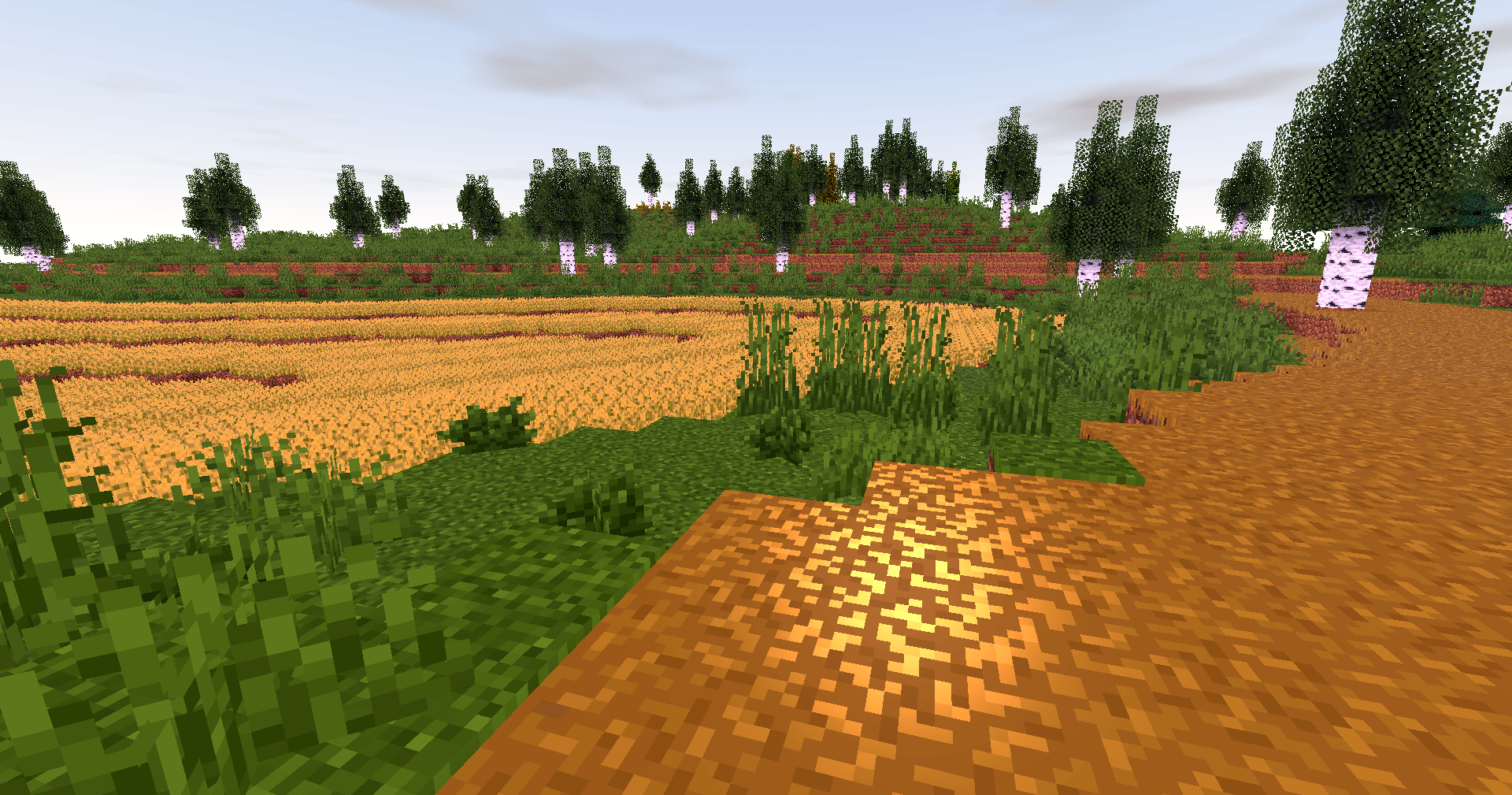
**Golden skies that sell the scene.**
Sunsets become a moment worth pausing for — gentle gradients, richer highlights, memorable horizons.
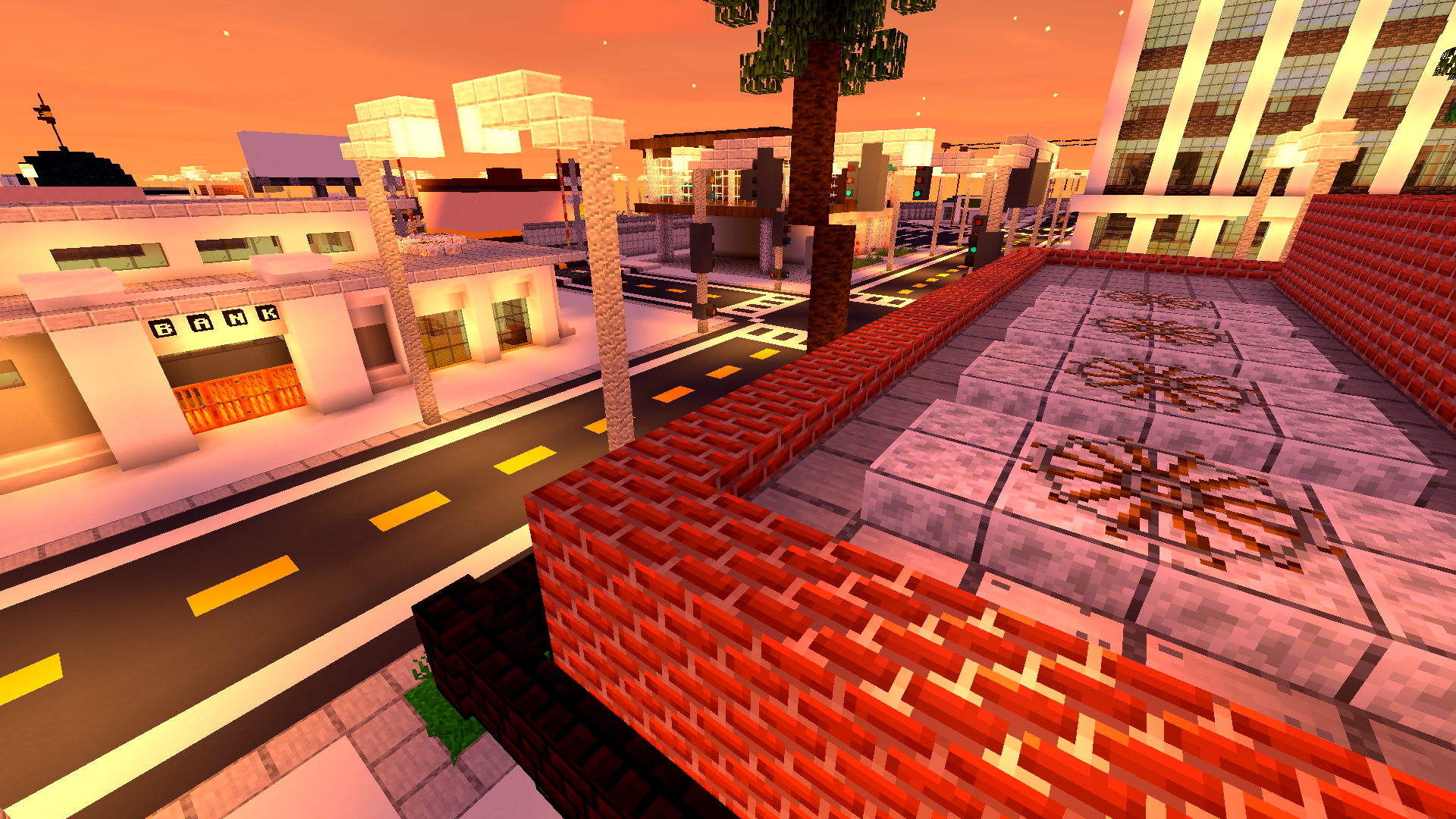
**Biomes with personality.**
Color grading and contrast are tuned so forests, mountains and plains feel distinct and cohesive.

**Caves that invite you in.**
Subtle glows and realistic shadowing turn spelunking into an atmospheric experience.
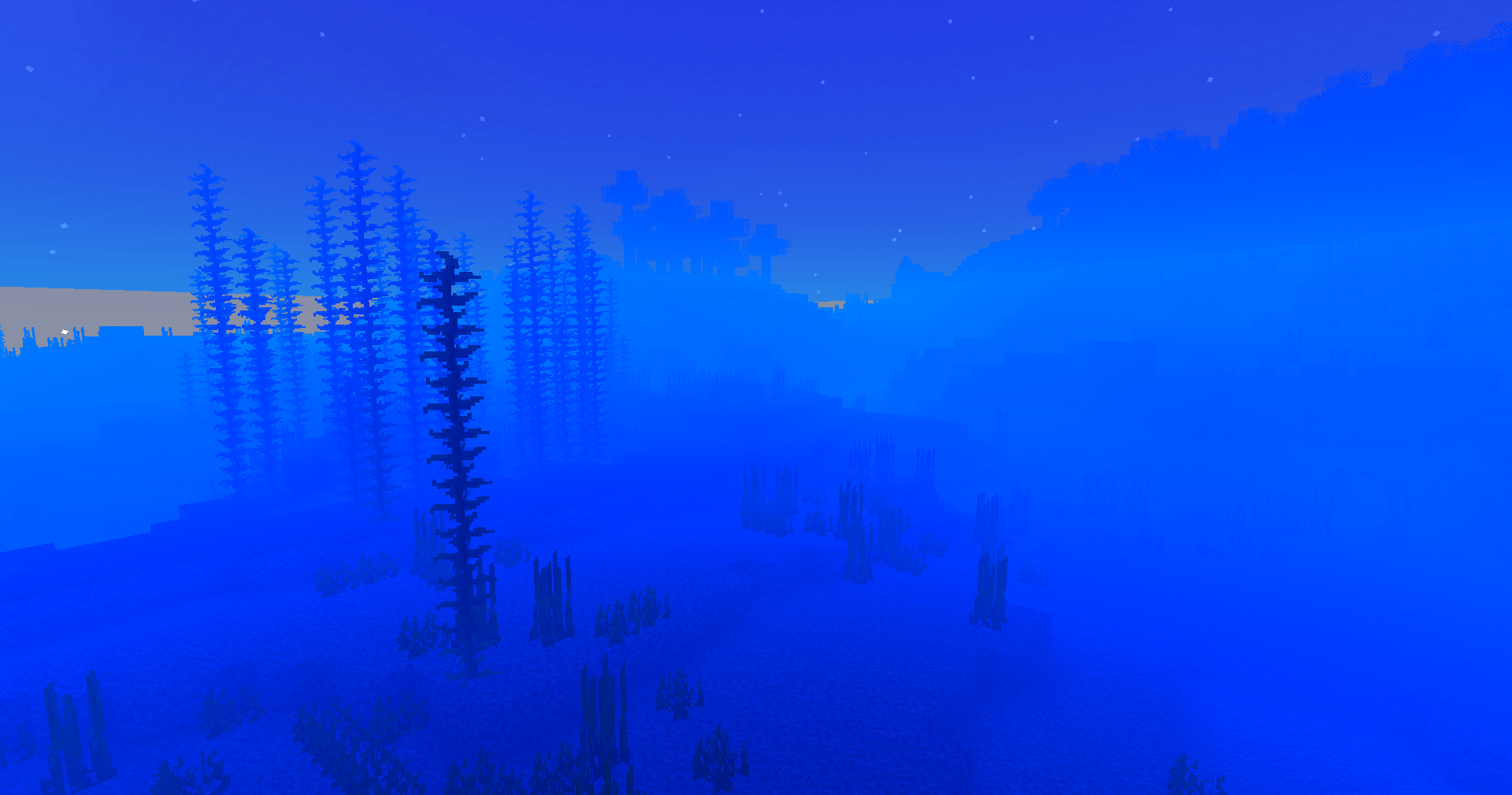
**Light that moves with you.**
Shadows soften and shift; reflections follow your motion — the world reacts, not just sits pretty.
—
### Why players love it
– **Feels faithful:** Keeps Minecraft’s identity intact while upgrading visuals.
– **Builds shine:** Your creations get natural highlights and better depth.
– **Exploration rewarded:** Every walk, dive or mine feels more cinematic.
– **Low overhead:** Designed to be light on performance so more players can enjoy it.
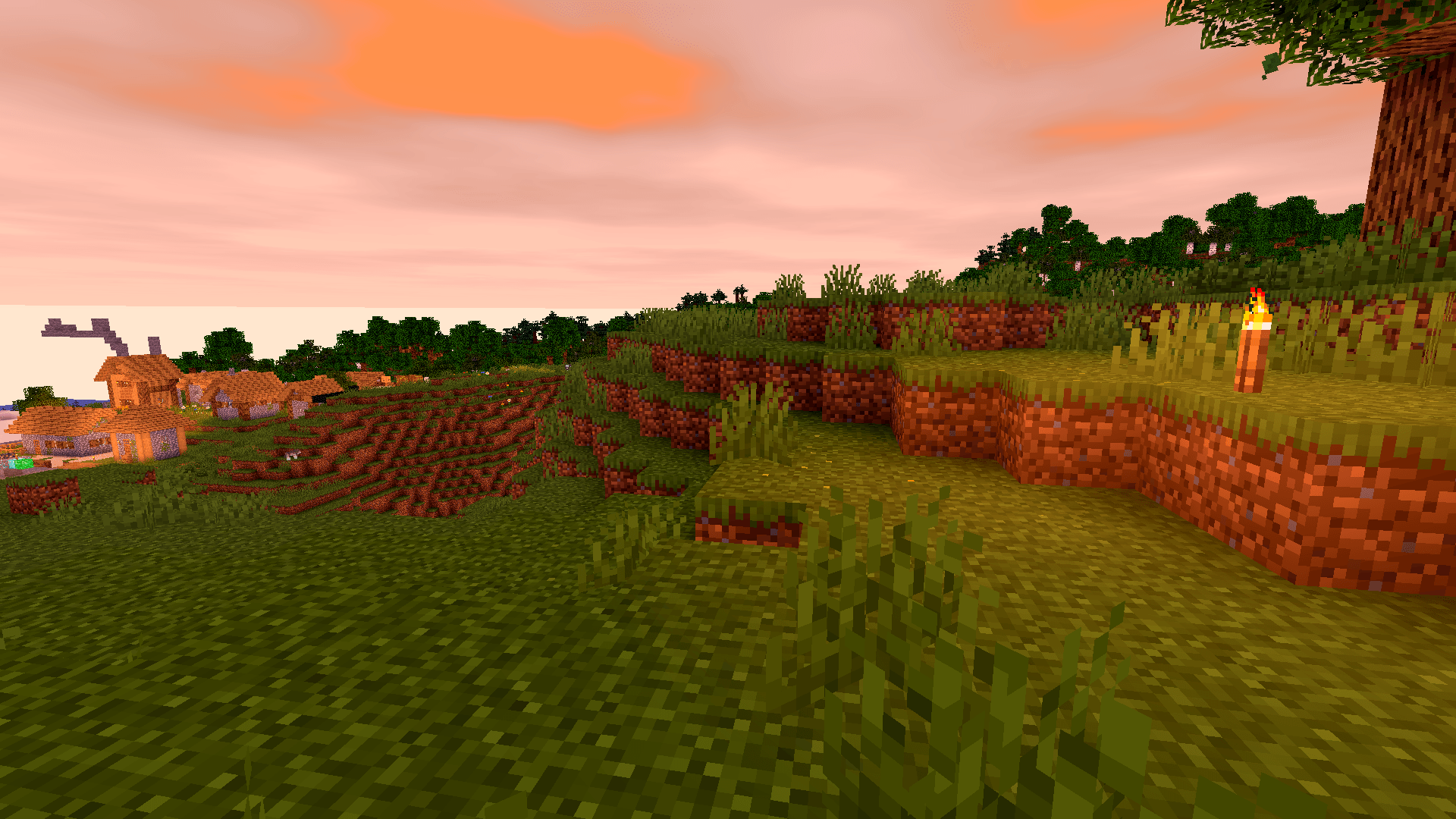
**A unified aesthetic.**
Everything from deserts to snow peaks shares a consistent, polished tone — your world looks like it belongs together.
Pushing the boundaries of accessible intelligence. Whether you need lightweight efficiency or industrial-grade reasoning, the **Next Series** delivers.
**Why build with Lamapi?**
– ⚡ **High Efficiency:** From compact 1B models to powerful 70B reasoning engines.
– 🌍 **Multilingual Mastery:** Optimized for superior performance in English & Turkish.
– 🛠️ **Ready to Deploy:** State-of-the-art open weights available immediately.
Looking for a host that takes your gaming experience as seriously as you do? We provide robust infrastructure ensuring smooth gameplay and enterprise-grade uptime.
**Why switch to us?**
– 💎 **7-Day Free Trial:** Experience the quality risk-free (No commitment).
– 🛡️ **99.9% Uptime SLA:** Your server stays online, guaranteed.
– ⏰ **24/7 Support:** Expert help whenever you need it.
🔥 Experience the difference with 25% off your first month,
Use code **XSORAS**
**Deploy your server now:**
🌐 https://kcbhosting.com
💬 https://discord.gg/kcbhosting

VSS|原版风平滑剑
A vanilla-style smooth sword, achieved by modifying the model, which causes almost no additional performance overhead.
**Vanilla Style**: The number of elements in the sword model is reduced to a minimum. Theoretically, this significant reduction in the number of model elements can also slightly boost the frame rate.
**_Flash Style_**: Compared to the Vanilla Style, it adds glowing outlines when enchanted—experience the flowing light!It can still display PBR effects in a light and shadow environment!
All versions feature 16x textures, identical to the vanilla game.
Additionally, this resource pack fixes the asymmetrical crosshair position in the vanilla game, and reduces the field of view obstruction when the player wears carved pumpkins to 15% of the vanilla intensity.
This mod adds permission checks into vanilla, to allow for full permission customization.
* You need to have a permissions mod installed. (e.g. LuckPerms)
(Any permission provider mod that supports fabric-permissions-api
is also supported.)
## Permissions
| Permission | Description |
|——————————————————————————————-|———————————————————————————|
| `minecraft.adminbroadcast.receive` | Receive command feedback |
| `minecraft.bypass.spawn-protection` | Build inside spawn protection |
| `minecraft.bypass.force-gamemode` | Bypass forced gamemode |
| `minecraft.bypass.move-speed.player` | Bypass “Player moved too fast” |
| `minecraft.bypass.move-speed.vehicle.` | Bypass “Player moved too fast”, while riding an `entity` (e.g `minecraft.boat`) |
| `minecraft.bypass.chat-speed` | Bypass chat kick, when sending messages / commands to quick |
| `minecraft.bypass.whitelist` | Bypass server whitelist |
| `minecraft.bypass.player-limit` | Bypass server player limit |
| [`minecraft.command.`](#commands) | Command permissions, see [commands](#commands) for more information |
| `minecraft.debug_stick.use.` | Use debug stick on `block` (e.g. `minecraft.oak_trapdoor`) |
| `minecraft.debug_chart` | View debug chart |
| `minecraft..` | Place blocks with nbt data and use debug commands |
| `minecraft.operator_block..` | Place, view, edit and break operator blocks. |
| `minecraft.selector` | Use entity selectors in commands |
| [`minecraft.selector.entity.`](#selectors) | Allow selecting [non-player entities](#scope-control) using the `selector` |
| [`minecraft.selector.player.`](#selectors) | Allow selecting [nonself players](#scope-control) using the `selector` |
| [`minecraft.selector.self.`](#selectors) | Allow selecting [self](#scope-control) using the `selector` |
## Meta
Also sometimes referred to as “options” or “variables”.
Incorrect types are considered undefined values.
| Meta | Type | Description |
|——————————————————|———–|————————————————————————————————-|
| [`minecraft.selector.limit.`](#selectors) | `Integer` | [Limit the maximum number](#entity-limit) of entities that can be selected using the `selector` |
| [`minecraft.selector.weight.`](#selectors) | `Integer` | Selector weight, see [selection weight](#selection-weight) for more infomation |
## Commands
This mod uses Brigadier’s node-based permission system. Each command is made up
of multiple nodes, and each node has its own permission.
For example, the `/gamemode` command:
– The root command node (`/gamemode`) requires minecraft.command.gamemode.
– Sub-nodes like `survival`, `creative`, etc., use `minecraft.command.gamemode.survival`,
`minecraft.command.gamemode.creative`, and so on.
In vanilla Minecraft, only the **root node** has a permission check (e.g. OP level 2). Once a player has access to that
root node, **all sub-nodes are considered unlocked by default**.
If you want finer control, you can manually restrict sub-nodes by denying their specific permissions.
This allows players to use `/gamemode` but restricts them to only the allowed sub-options
(e.g., survival and adventure).
For other commands, see *Syntax* section of each command’s Minecraft Wiki page.
## Selectors
Command blocks and datapacks bypass all selector permission checks.
By default, granting `minecraft.selector` allows players to use any selector in commands they have access to.
Fine-grained permission control operates as follows. Note that this mod restricts based on **selection results**, not
raw selector syntax. Using player names, UUIDs, or selectors like `@e` are equivalent if they produce identical
results.
### Value of ``
The `` string follows the format: `..` where:
* `` is the root command name
* `` matches the argument name in the command’s *Arguments* section on Minecraft Wiki
* `` traces the command’s argument hierarchy after the selector
For example, in the `/teleport` command:
– `` and `` are valid selector names
(they are `entity` selectors)
– Subsequent arguments form the remainder of the path
Most selectors are `entity` selectors, which is supported.
For a complete support list, see [below](#status).
| Command | Self | Nonself Players | Non-player Entities | Resulting Behavior |
|—————————————————————|———————————————————————-|————————————————————|———————————————————–|———————————————————|
| `/teleport ` | `` allowed by default | `` allowed by #𝟏 | `` allowed by #𝟐 | Teleport to any entity |
| `/teleport ` | `` allowed by default `` allowed by default | `` denied by #𝟓 `` denied by #𝟓 | `` allowed by #𝟑 `` denied by #𝟔 | Only teleport non-player entities to self |
| `/teleport ` | (No selectors) | – | – | Unrestricted position teleport |
| `/teleport ` | `` allowed by default | `` denied by #𝟓 | `` denied by #𝟔 | Only teleport self to positions |
| `/teleport facing entity ` | `` allowed by default `` denied by #𝟕 | `` denied by #𝟓 `` allowed by #𝟒 | `` denied by #𝟔 `` denied by #𝟔 | Teleport self to positions while facing nonself players |
### Entity Limit
Set meta `minecraft.selector.limit.` to restrict the maximum number of entities selectable via a
given selector.
No limit is applied if this meta is unset.
### Selection Weight
Controlled by meta `minecraft.selector.weight.`.
Entities without weight settings can always select any target and be selected by any selector. When both entities have
weight values, a selector can only select targets whose weight is `less than or equal` to its own.
| Player | Can modify gamemode of | Reason |
|———|————————–|—————————————————————————-|
| Player1 | All players | Weight ($7$) ≥ all others’ weights |
| Player2 | Only Player2 and Player4 | Weight ($-1$) < Player1/Player3 ($7$) No weight restriction for Player4 |
| Player3 | All players | Weight ($7$) ≥ all others’ weights |
| Player4 | All players | No weight restriction → unrestricted access |
### Status
The following list shows which selectors can use fine-grained permissions:
* `/ban-ip`: Not supported
* `entity`: Fully supported
* `game_profile`:
[Selection Weight](#selection-weight) for offline players not supported in Minecraft < 1.21.6. Others fully supported
* `message`: Not supported
* `score_holder`:
Only [Entity Limit](#entity-limit) supported
## Quality of Life
### Server Side
If the mod is installed server-side, it will make clients think they're OP. This allows players with [appropriate
permissions](#permissions) to place operator blocks and access the gamemode switcher menu.
### Execute Command
* Includes another condition: `/execute if permission ` to allow datapacks to
check permissions (e.g. `/execute if permission @s group.admin run say I am an admin`)
* #### Modifiers
* The `feedback` modifier `/execute feedback [silent | console]` or `/execute feedback entity ` is used to
silence, or redirect command feedback (e.g. `/execute feedback silent run gamemode creative`)
* The `oplevel` modifier `/execute oplevel ` or `/execute oplevel ` can be used to *reduce* the op
permission level of the command source context, this can be useful if you want to run a command as a user (from
functions or console), but want bypass permissions to work (e.g. `/execute as DrexHD oplevel entity @s run rtp`,
this will use the op level of the player `DrexHD` instead of the actual command executor for checking permissions
like `rtp.bypass`)
### Client Side
If the mod is installed on the client, the gamemode switcher can also be accessed, if the player has access to the
command, but isn’t OP (useful for spigot-based servers)!
Vanilla Food Hunger Bar HUD Hotbar
Reverts the HUD Food/Hunger Icons to the default, vanilla ones when put above other Resourcepacks. Useful for overriding the textures when using other resource packs that might make them look worse.
Now with Appleskin and Farmer’s Delight COMPATS!

I mainly made this to revert these food/hunger textures from Unique Dark:

|||||||
|:-:|:-:|:-:|:-:|:-:|:-:|:-:|
|Old Water|Old Bedrock|New Bedrock|Mute Pistons|Quieter Pistons|Mute Dispensers and Droppers|Quieter Dispensers and Droppers
Vanilla Hearts Health Bar HUD Hotbar
Reverts the HUD Hearts/Health Icons to the default, vanilla ones when put above other Resourcepacks. Useful for overriding the textures when using other resource packs that might make them look worse.


|||||||
|:-:|:-:|:-:|:-:|:-:|:-:|:-:|
|Old Water|Old Bedrock|New Bedrock|Mute Pistons|Quieter Pistons|Mute Dispensers and Droppers|Quieter Dispensers and Droppers
Vanilla but Harder
This Datapack:
– sets your hearts to 5
– sets difficulty to hard
– sets random tick speed to 40 (eg. crops grow faster, saplings grow faster)
– sets world/server to midnight (always night)
– sets reduced debug info to **true**
removes:
– ability to heal naturally (gamerule)
– ability to wear armour (except for turtle helmet and elytra)
– ability to sleep (gamerule)
adds:
– limited crafting (gamerule)
– universal anger (gamerule)
– OP mace (breach, density and wind burst are compatible together)
– harder eye of ender recipe
making the vanilla game harder
Vader’s Catty Programmer Art ‘Cat’ Music Disc Pack
**https://ko-fi.com/vaderman24**
**https://linktr.ee/vaderman24**
**https://www.patreon.com/vaderman24**
**———————————————————————————————————————————**
**Vader’s Catty Programmer Art ‘Cat’ Music Disc Pack**
**V1.1.0 For Minecraft Java Edition Alpha 1.2.2 — 1.21.11+**
**(🔥CURSEFORGE⚒️)**
**[🐱👤GITHUB🏠]**
**(💡GOOGLE DOCS📝)**
**(☕KO-FI💸)**
**(🔧MODRINTH🗄️)**
**(🌀NEXUS MODS🔧)**
**(🌎PLANET MINECRAFT⛏️)**
**———————————————————————————————————————————**
**Also check out these other related Resource Packs**
(1.0+) Vader’s Blocky Programmer Art ‘Blocks’ Music Disc Pack [16x] [JE]
(Alpha 1.2.2+) Vader’s Catty Programmer Art ‘Cat’ Music Disc Pack [16x] [JE]
**———————————————————————————————————————————**
**For all information related to this pack go to this Google Docs page.**
This pack replaces the texture for the Cat Music Disc with one that is more cat-like in Vanilla for Programmer Art.
I hope to maintain this pack at my own pace and vision. So please be patient with any and all updates.
This project supports Minecraft versions Alpha 1.2.2 — 1.21.11+ all in one file. If it does not work or something seems broken on any particular version, please let me know via the comments section, DM, or email me at [email protected] and I’ll try to fix it as soon as possible.
If you enjoy using my projects, maybe consider showing your support with a small donation so I can continue making things for a long time to come? Any and all support is greatly appreciated. Even just downloading one of my projects or giving me feedback motivates me to continue moving forward with updates.
If you’re interested in supporting me, you can do so via Ko-fi or Patreon.
**Full applicable license information is available on the project’s Google Docs credits page.**
**Not an official Minecraft product.**
**Not approved by or associated with @Microsoft or @Mojang.**
**This project is openly licensed via GPL-3.0.**
V-Paxel’s
## V-Paxels – Craftable & Functional Paxels!
**V-Paxels** uses the new component capabilities, such as the tool component, to add Paxels to the game. These paxels function as a multi-tool. You can use them to break all blocks as if you were using the recommended tool for each block. You can also switch between Tilling, Pathing and Stripping/Srcaping modes by pressing your sprint key and right click at the same time.
## Content:
– **6 Paxel Types:**
> Wood | Stone | Copper | Iron | Diamond | Netherite
– **Tilling, Pathing and Stripping/Srcaping Modes:**
> The ability to switch between **Tilling, Pathing** and **Axing Modes** (hoe, shovel and axe right-click).
– **1 Charm:**
– Charm of Mining Reach I–III
> A Charm that can be found in Trial Chamber Vaults, the Charm increases your Mining Reach when held in your Offhand – 1-2 can be found in normal vaults and 3 only in Ominous Vaults
## Showcase
#### V-Paxels | Crafting and R-Click Modes Showcase
## ✅ Features
– **Efficiently** converts UUIDs to hex format
– Optimized for speed by relying on a precomputated hexadecimal range (`0000-FFFF`), increasing static data usage
## 📖 Usage
Call the `uuid:_` function as an entity and use its output in `storage uuid:out plain`
Alternatively, assign a 4-integer array to `storage uuid:in UUID`, then call the `uuid:convert` function to format it.
Upgraded Stair Recipes
# What this Datapack/Mod does
This makes it where you can craft stairs with only 3 planks. the below is what the crafting recipe looks like
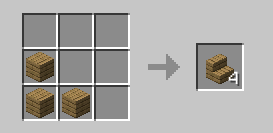
so you can craft it in you inventory
# Important
### All versions before 1.4 are unsupported and they may or may not work
if you have problems go to The discord server
**as you may have noticed this is pretty inactive it is mainly because nothing has really needed to be done xD**

